


Coloring for Kids: Drawing 2-6
4.193.00 Reviews
App Specs
- Version
- 1.57
- Updated On
- License
- Free
- Downloads
- 1,000,000+
- Developer
- Bimi Boo Kids Learning Games for Toddlers FZ-LLC
- Categories
- Educational
- Platform
- Android, iOS
Screenshots
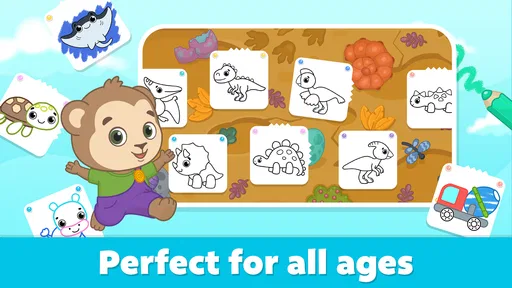
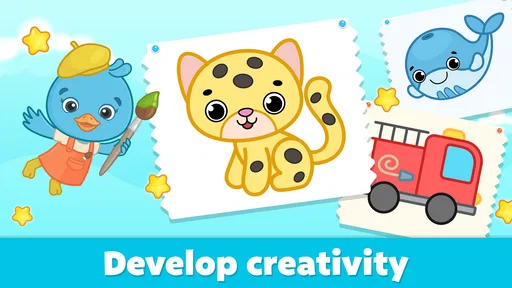
 Analysis by AppCompare
When a child has a few spare minutes and wants to make something, a drawing game can be a better fit than another video: it gives little hands a simple action to try and a picture to focus on. Drawing Games for Kids is an educational game from Bimi Boo Kids Learning Games for Toddlers FZ-LLC, aimed at young children who enjoy coloring and guided creative activities. I’d think of it as a handy starting point for screen-based art, rather than a replacement for paper, crayons, or an open-ended drawing app.
Who will get the most from it
I can see this working especially well for toddlers and preschoolers who are still learning how to make purposeful marks, recognize colors, and stay with one small activity at a time. The Everyone age rating fits its child-focused presentation, but a rating alone doesn’t tell you whether a particular child is ready to use a device independently. I’d sit with a younger child at first, both to help them understand the activity and to see whether the pace suits them.
It is less suited to a child looking for a blank digital canvas, advanced drawing tools, or a way to build polished illustrations. Guided coloring activities can make the first step easier, but they also shape what a child makes. For a child who already enjoys inventing scenes from scratch, a general-purpose drawing app or ordinary paper may offer more freedom.
A small, practical routine
A useful way to bring the game into an ordinary day is to keep it for a short transition: while dinner is being prepared, during a quiet moment at home, or when a child needs a calm activity before moving on to something else. I’d invite them to choose a picture, name one color they want to use, and tell me what they notice as they work. That turns tapping and coloring into a shared conversation without making the activity feel like a lesson.
There is also a practical trade-off in using a phone or tablet for art. Digital coloring avoids paper scraps and can be convenient away from home, but it doesn’t provide the physical feel of holding a marker or pressing a crayon onto a page. I’d use this as one option in a mix of activities, not as the only way a child gets to draw.
What to check before handing over the device
The game is free to download, with optional in-app purchases priced from $5.99 to $39.99 per item. That matters if a child will be exploring without an adult nearby: I’d review the purchase controls on the device and decide in advance whether anything paid is appropriate. The original published description’s reassurance that there are no in-app purchases is not accurate; purchases are part of the current offering, so don’t rely on that claim when setting up a child’s device.
It has a 4.1 average from around 9.3K ratings, and more than 1 million installs. Those figures suggest that many families have tried it, but I wouldn’t treat popularity as proof that it suits every child. The game’s current version is 1.43, and it requires Android 7.0 or later, so it is worth checking device compatibility before planning to use it on an older Android phone or tablet.
Worth Reading Before You Choose

Baby Panda World Brings Quick Play to Modern Phones, but Its Game Library Feels Busy

ESPN’s Live Game View Makes Following Close Games Easier

QuizzLand Review: A Good Fit for Short Trivia Breaks, Not Every Player

Basketball Stars: Multiplayer Is Fast, but Can It Recover When Matches Go Wrong?

WEBTOON Turns Phone Updates Into a Better Reading Routine

Link to Windows Runs on Shared Habits, Not Social Feeds
Its store summary points to more than 200 coloring pages, which gives a parent a broad set of starting points to explore with a child. I would avoid presenting page count as a promise that every page will hold a child’s attention: a toddler may return to one favorite image, while another child may want to browse. The developer, Bimi Boo Kids Learning Games for Toddlers FZ-LLC, focuses this title on early-years play, so the best fit is a child who likes recognizable prompts and simple creative choices.
Colorful Creativity Unleashed
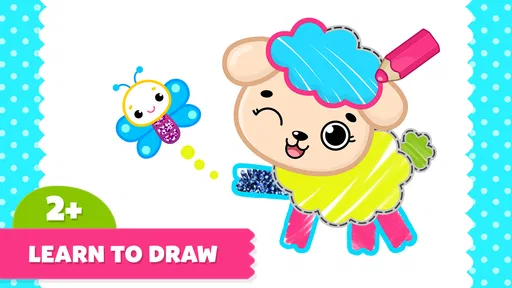
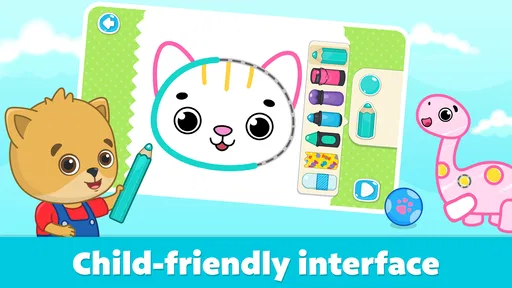
One of the first things you’ll notice about Drawing Games for Kids is its vibrant and inviting interface. The app is packed with bright colors and cheerful designs that immediately grab the attention of young users. The layout is intuitive, making it easy for kids to navigate through different sections without getting lost or frustrated.
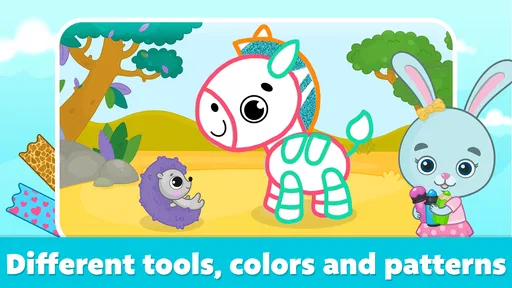
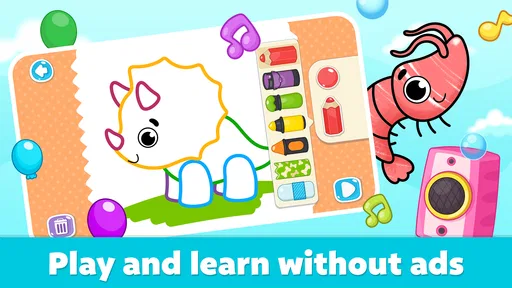
From scribbling with crayons to painting with brushes, this app offers a wide variety of tools that mimic real-life art supplies. Kids can experiment with different colors and textures, allowing their creativity to flow freely. It’s like having a whole art studio right at their fingertips!
Engaging Learning Experience
What I loved most about this app is how it seamlessly combines fun with learning. Each drawing activity is designed to enhance essential skills like hand-eye coordination, color recognition, and even problem-solving. The app offers various themes and templates, such as animals, nature, and everyday objects, which help kids learn about the world around them while they play.
There are also interactive elements that make the experience even more engaging. For example, some drawings come to life with animations once completed, adding an element of surprise and delight. It’s a fantastic way to keep children motivated and eager to explore more.
Safe and Kid-Friendly Environment
As a parent, safety is always a top concern. The app provides a secure environment where kids can explore their creativity without the risk of stumbling upon inappropriate content. Because in-app purchases are available, though, I’d still check the device’s purchase settings before letting a child use it alone. That small setup step is more useful than assuming every part of a child-focused game is automatically inaccessible.
Plus, the app includes a parental control feature that allows you to set time limits, ensuring that screen time is balanced with other activities. It’s a thoughtful addition that reflects the developers’ understanding of parents’ needs.
A Few Handy Tips
While exploring the app, I found a few tips that might be helpful for other parents. First, encourage your child to try different drawing tools and techniques. The app offers a variety of brushes, pencils, and stamps, so there’s plenty to experiment with. You might be surprised at the unique artworks your child can create!
Also, take advantage of the option to save and share creations. It’s a wonderful way to preserve your child’s artistic journey and share their masterpieces with family and friends. You can even print them out and display them at home, turning your living room into a mini art gallery.
For a more purposeful session, I’d let the child choose a picture first, then ask them to point out one detail before they begin coloring. That gives them an easy way into the task without telling them what the finished picture should look like. If they lose interest halfway through, I wouldn’t push them to complete it; the benefit is in trying colors and making choices, not finishing every page.
When a child wants to repeat the same activity, that can be useful rather than a sign that the game has run out of value. Repeating a familiar picture lets them try a different color or tool while keeping the rest of the task comfortable. On the other hand, if they are asking to draw something that is not represented by a prompt, that is a good moment to switch to paper or a blank-canvas tool instead of expecting a guided coloring game to meet that need.
How the play loop holds up
The basic rhythm is easy to understand: a child chooses a drawing, applies color with a tool, sees the picture change, and can move on to another activity or return to a familiar one. The completed animations mentioned above add a little payoff to finishing, while the choice of another page gives the next session a natural starting point. In my view, that simple loop is the game’s strongest practical quality for a young user: the action is clear, the visual feedback is immediate, and the activity does not require a parent to invent a new task every minute.
That same structure has limits. A child who needs a fresh challenge every time may find coloring prompts repetitive, and a child who prefers building or storytelling may be better served by a different kind of game. Compared with free drawing apps, this one offers more direction; compared with physical coloring books, it is easier to change tools and move between images, but less tactile. I’d choose it for a brief, guided creative break, not for a long stretch of independent entertainment.
Final Thoughts
In conclusion, Drawing Games for Kids is a delightful app that ticks all the right boxes for an entertaining and educational experience for children. It’s a blend of fun, creativity, and learning, with a child-friendly presentation and a manageable activity loop. Whether your child is a budding artist or just loves to doodle, it may become a useful option in your household, especially when they enjoy choosing colors and completing guided pictures.
I’d recommend trying it with a child who likes clear prompts and short creative tasks, while keeping an eye on purchase settings and balancing digital play with hands-on art. If your child wants unrestricted drawing or you want a completely physical activity, paper and crayons—or a more open-ended art app—will be a better match. For the right child and the right moment, this is an approachable way to turn a spare few minutes into a small burst of creative play.
Pros
- Intuitive interface for young users.
- Wide variety of drawing tools.
- Encourages creativity and learning.
- Offline mode available.
- Parental controls ensure safety.
Cons
- Limited free content available.
- In-app purchases can be costly.
- Occasional ads interrupt play.
- Requires regular updates.
- Some features need internet access.
FAQs for Coloring for Kids: Drawing 2-6
What features does Drawing Games for Kids offer?
Drawing Games for Kids provides a variety of features designed to engage young artists. It includes a range of drawing tools such as pencils, brushes, and colors, alongside interactive tutorials and templates. The app often features creative challenges and rewards to motivate children, enhancing their artistic skills while keeping them entertained.
Is Drawing Games for Kids suitable for all age groups?
While Drawing Games for Kids is primarily designed for children, it is generally suitable for a wide range of ages, typically from toddlers to pre-teens. The app offers different difficulty levels and guidance, ensuring that both young beginners and older kids can enjoy and benefit from the creative activities.
Does the app require an internet connection to function?
Drawing Games for Kids can be used offline for most of its core functions, such as drawing and coloring. However, certain features, like downloading new templates or participating in online challenges, may require an internet connection. It's recommended to check the specific requirements within the app's settings.
Are there in-app purchases or ads in Drawing Games for Kids?
Yes, Drawing Games for Kids may include in-app purchases and advertisements. These purchases typically provide additional content, such as exclusive drawing tools or extra templates. Parents should be aware of these features and may want to manage settings to prevent unintended purchases or ad exposure.
How does Drawing Games for Kids ensure child safety?
The app prioritizes child safety by incorporating parental controls and offering a kid-friendly interface. It usually requires parental consent for purchases and restricts any external links or social sharing options. Additionally, content is curated to be age-appropriate, ensuring a safe and enjoyable experience for young users.


